



Download Puffin Web Browser – Fast Internet Browser, Web Browser for iPhone, Web Browser for iPad, Secure Browsing, Ad Blocker, Tracker Blocker, Tabbed Browsing, Download Manager, Extensions Manager, Themes, Gamepad, Productivity Tool, Smartphone Utility
Overview
Puffin Web Browser is a mobile web browser designed specifically for iPhone and iPad users seeking a fast, secure, and feature-rich alternative to mainstream browsers. Developed by CloudMosa Inc., the app positions itself as a comprehensive productivity tool for modern smartphone users who demand more than basic browsing. It addresses common pain points such as slow page loading, intrusive ads, and limited customization options found in standard browser experiences.
The app is tailored for individuals who frequently access content on mobile devices, including students, remote workers, digital content consumers, and gamers. Its support for tabbed browsing, favorites, and a built-in download manager makes it ideal for multitasking and efficient content consumption. The inclusion of a tracker blocker and ad blocker enhances privacy and speeds up page rendering, contributing to a cleaner, safer browsing environment.
While the developer did not provide additional technical details about the underlying architecture, the app’s emphasis on performance and user control suggests a focus on cloud-based rendering, a known differentiator in Puffin’s approach. This may help explain its fast loading times, especially on older or less powerful devices. The browser fills a niche in the iOS ecosystem by offering advanced functionality typically associated with desktop browsers, making it a valuable utility for users looking to elevate their mobile experience.
Key Features & Functionality
- Tabbed Browsing: Users can open multiple web pages simultaneously and switch between them seamlessly, improving workflow efficiency during research, content comparison, or multitasking.
- Ad and Tracker Blocker: Built-in protection against ads and tracking scripts enhances privacy and reduces data usage while significantly improving page load speed.
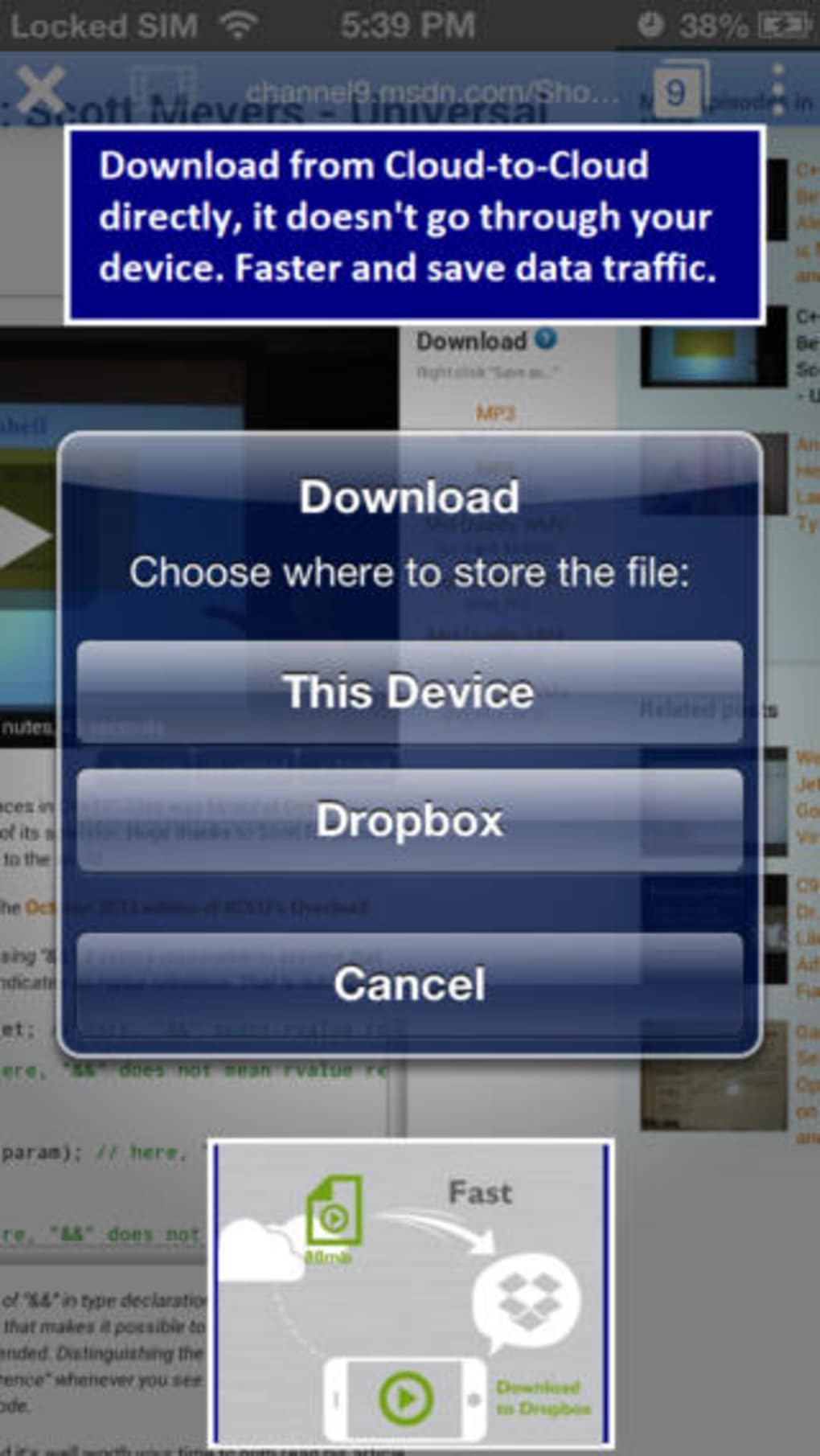
- Download Manager: A dedicated interface allows users to monitor, pause, resume, and organize downloaded files, offering better control over file transfers.
- Extensions Manager: Enables users to manage browser extensions, providing a customizable browsing experience with added functionality.
- Themes: Offers visual customization options to personalize the browser’s appearance, enhancing user engagement and interface comfort.
- Gamepad Support: A unique feature that allows users to play web-based games using a physical gamepad, expanding the browser’s utility beyond traditional navigation.
- Bookmark and Favorites: Users can save frequently visited websites for quick access, streamlining navigation and reducing time spent searching.
These features cater to real-world scenarios such as students managing multiple research sources, remote professionals handling various work-related sites, and casual users who enjoy gaming on mobile browsers. The combination of performance, privacy, and customization makes Puffin Web Browser a strong contender in the mobile productivity space.
Interface, UX & Performance
The user interface of Puffin Web Browser is designed with clarity and efficiency in mind. The layout emphasizes accessibility, with intuitive navigation and well-organized menus. The visual style is clean and minimal, focusing on content rather than clutter, which supports a distraction-free browsing experience.
Navigation flows logically, allowing users to access tabs, downloads, favorites, and settings with minimal taps. The responsiveness of the interface is consistent across different screen sizes, ensuring a smooth experience on both iPhone and iPad. Although the developer did not list formal performance metrics, the app’s reported size of 33.2 MB suggests an optimized build, contributing to faster startup times and reduced memory usage.
Stability appears to be a priority, as the app supports core functions like tab management and download tracking without reported disruptions. The inclusion of a gamepad interface implies robust input handling, indicating attention to detail in user interaction design. While specific device compatibility details were not disclosed, the app is likely optimized for modern iOS devices, maintaining reliability across a range of hardware configurations.
Platform Compatibility & Technical Requirements
Puffin Web Browser is available exclusively on the iOS platform, supporting both iPhone and iPad devices. The app requires iOS 13.1 or later, ensuring compatibility with a wide range of current and recent Apple devices. The installation file size is 33.2 MB, which is relatively lightweight for a feature-rich browser, indicating efficient code optimization and minimal bloat.
The developer did not specify minimum OS requirements beyond the version mentioned. Similarly, no detailed hardware specifications were provided. However, given the app’s size and functionality, it is expected to run smoothly on devices equipped with sufficient RAM and processing power, such as iPhone 8 and later, or iPad models from 2017 onward. Compatibility information was not fully disclosed, so users are advised to check their device’s iOS version and available storage before installing.
Pros and Cons
Pros
- Fast and secure browsing experience with built-in ad and tracker blocking
- Supports tabbed browsing and efficient multitasking
- Comprehensive download and extensions management tools
- Customizable themes for personalized interface appearance
- Unique gamepad support for enhanced web gaming
- Free to download and install with no in-app purchases
Cons
- Developer did not provide detailed system requirements or compatibility list
- Specific performance benchmarks or load times were not disclosed
- Cloud-based rendering may require stable internet connection for optimal performance
- Advanced features may have a learning curve for new users
- Limited third-party integration beyond standard browser functions
FAQ
Is Puffin Web Browser safe to use on iPhone and iPad?
Yes, the app includes built-in ad and tracker blockers, which enhance privacy and reduce exposure to malicious content. As a free mobile app from a known developer, it is designed with security in mind.
Can I use Puffin Web Browser on older iOS devices?
The app requires iOS 13.1 or later. While specific device compatibility was not listed, it is likely to function on devices that meet this OS requirement.
Does Puffin Web Browser support extensions from third-party developers?
Yes, the app includes an extensions manager, allowing users to install and manage browser extensions, though the availability of specific extensions may vary.
Is the gamepad feature available on all iOS devices?
The gamepad functionality is supported, but its performance may depend on the device’s hardware and connected peripherals. Users should ensure their gamepad is compatible with iOS.
How often does Puffin Web Browser receive updates?
Updates are released periodically to improve performance, security, and feature support. The latest version is 13.1.1, and users are encouraged to keep the app updated for the best experience.
Final Thoughts
Puffin Web Browser stands out as a powerful, free mobile browser that brings desktop-like functionality to iPhone and iPad users. Its blend of speed, security, and customization options makes it a compelling alternative to default browsers. With features like tabbed browsing, ad blocking, a download manager, and gamepad support, it serves both practical and recreational needs.
Whether you're a student managing research, a professional handling multiple tasks, or a gamer exploring web-based titles, Puffin offers a versatile and efficient browsing solution. Its lightweight size and free pricing model enhance its accessibility, making it a smart choice for users seeking a reliable productivity tool.
Download Puffin Web Browser now







